Photo editor with AI tools
A photo editorwith AI built in.
You can retouch portraits, put new clothes on a model, change a pose, move the camera and make logos. It all happens in one app, on web, desktop and mobile.
- My role
- Team lead
- Client
- Yellowbox
- Team
- 3 to 4 devs, me included
- Platforms
- Web, Windows, macOS, Android
- Website
- clor.kr
01Person retouching
Retouch the skinwithout making it fake.
Sliders for blemishes, dark circles and wrinkles. Pores, texture and expression stay, so the person still looks like themselves.
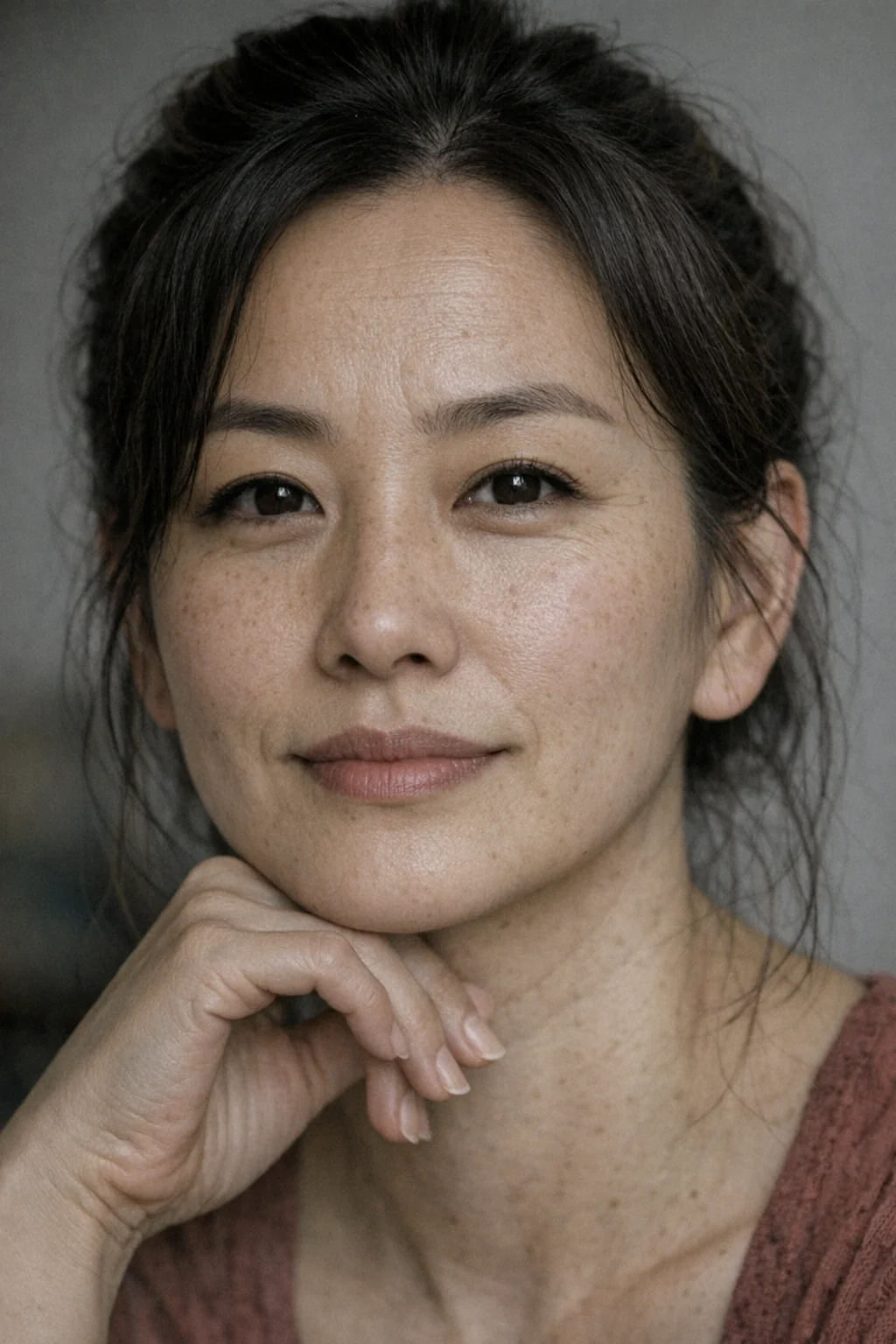
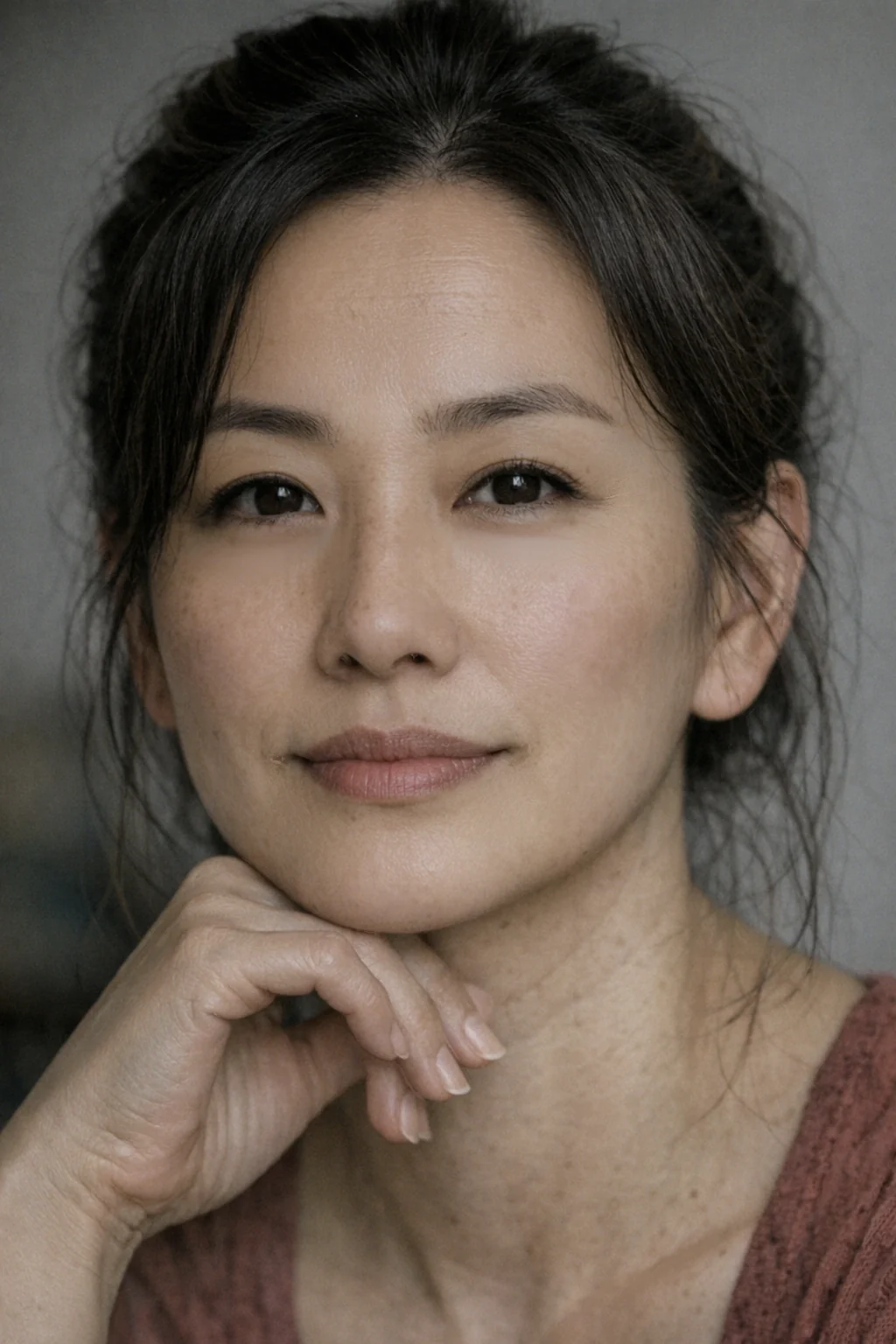 BeforeAfter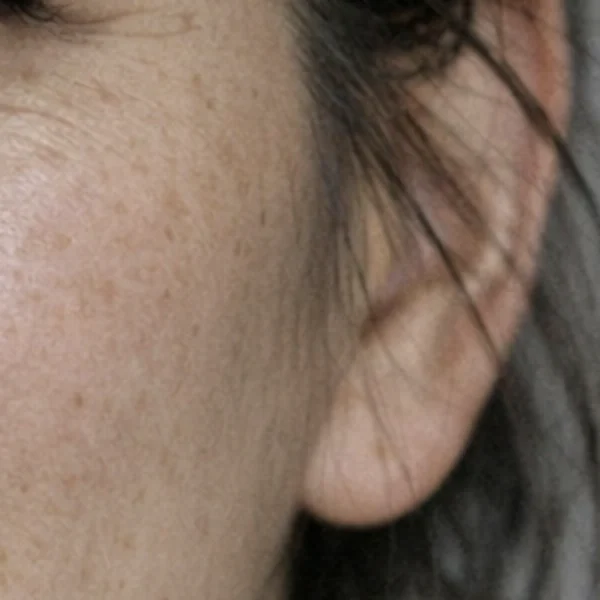
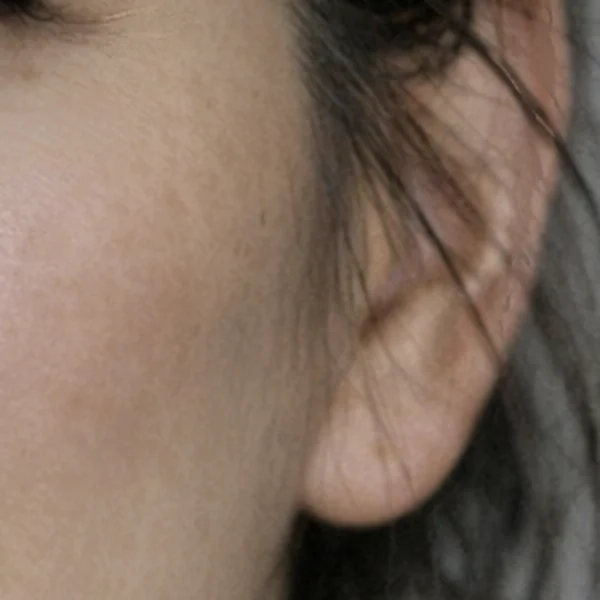
10+ sliders
Blemishes, moles, oily skin, under the eyes, lips, double chin and wrinkles.
Presets
Start from All, Female, Elderly female or Individual in one click.
Save and sync
Save your settings as a preset and apply them to a whole shoot.
02AI fitting
Change the outfitwithout a new shoot.
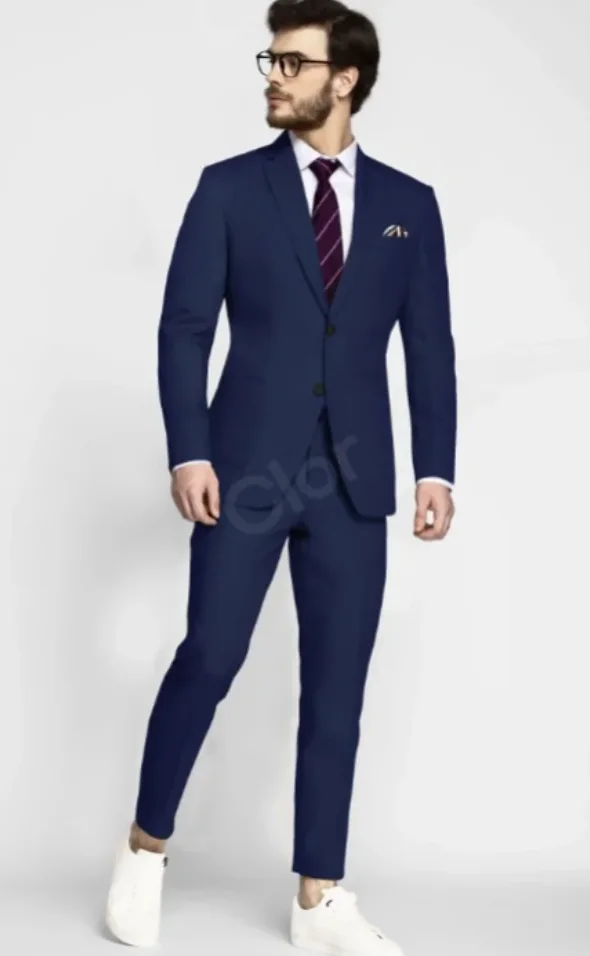
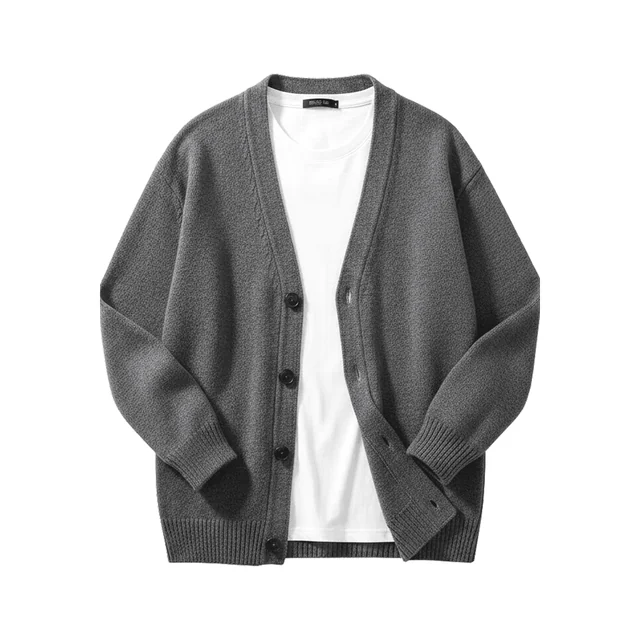
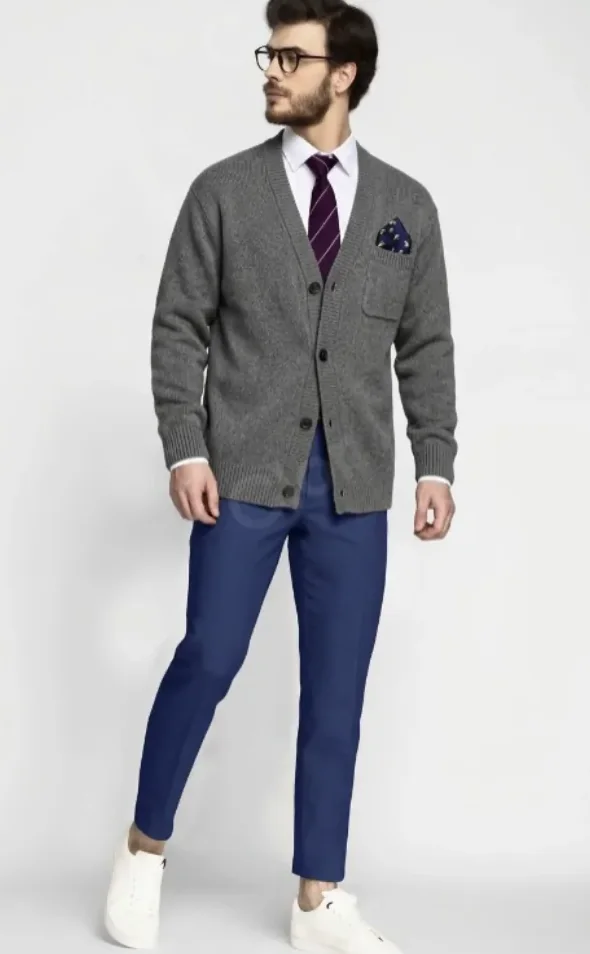
Drop a piece of clothing on a model photo. Clor AI fits it to the body and keeps the pose and the light, so you get a new photo you can use in a catalog.
- Head
- Face
- Gloves
- Top
- Bottom
- Handheld
- Shoes
7 outfit slots, a style library, and a prompt if you want to describe the fit.
03AI Director: pose
Change the pose,keep the person.
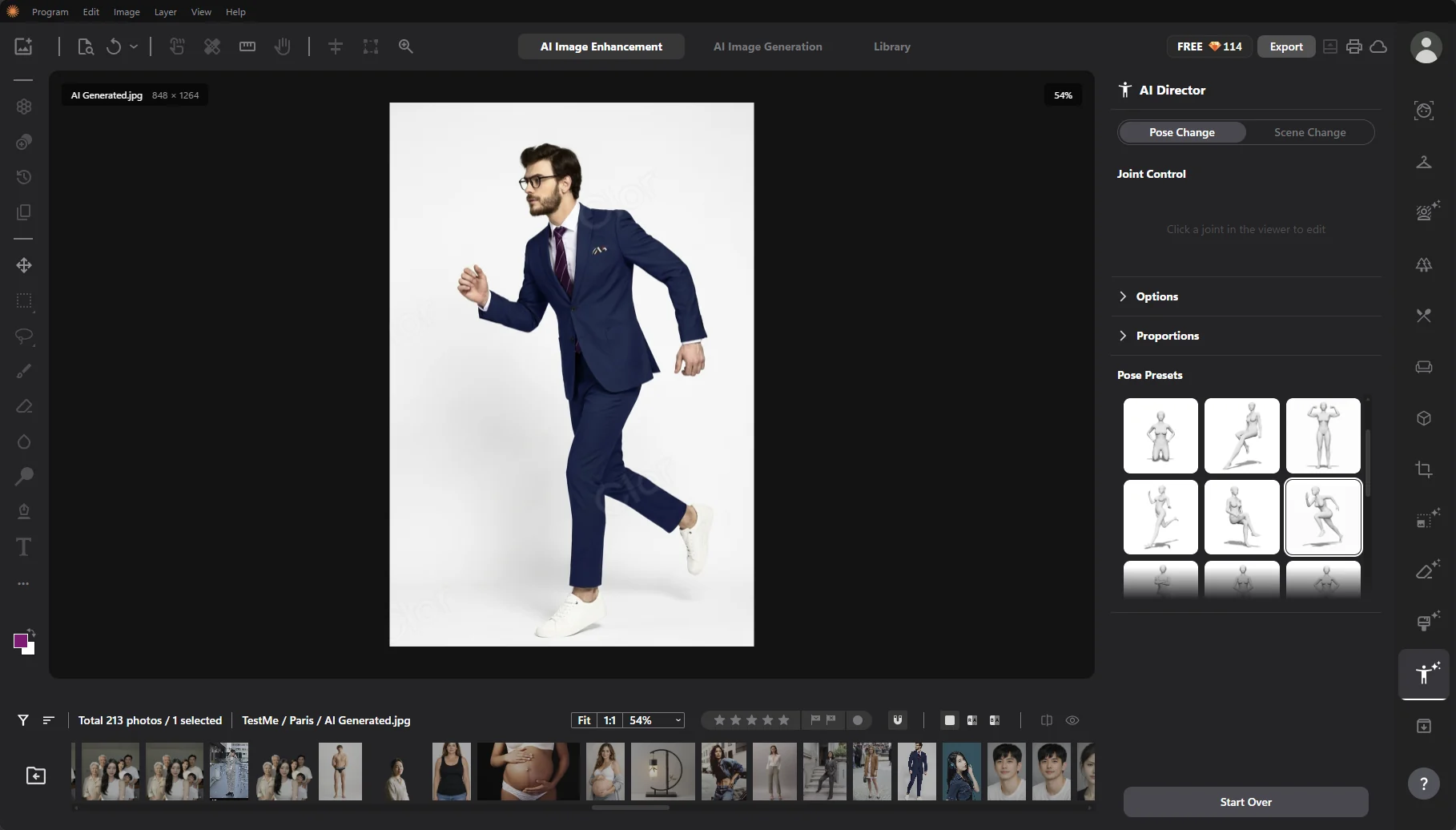
Clor AI finds the body, hands and face, then builds a 3D skeleton you can move joint by joint. You can also pick a preset pose. Then it renders the photo again.
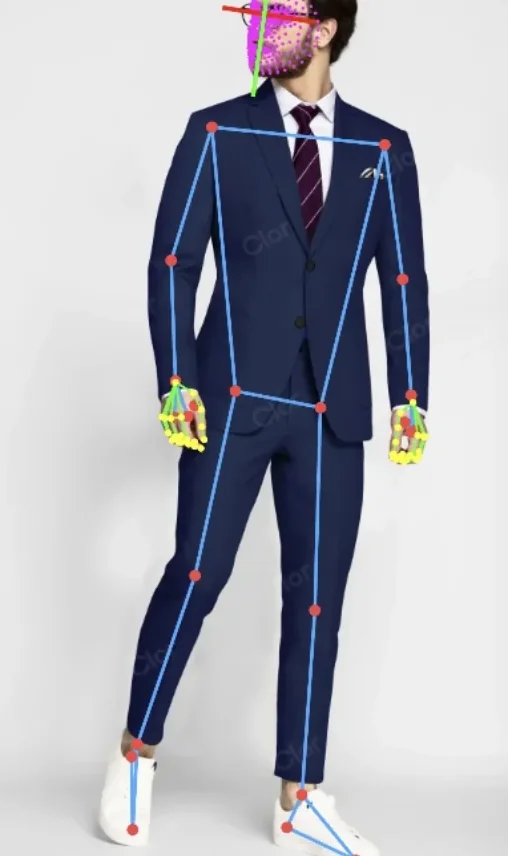
1DetectFinds the body, hands and face
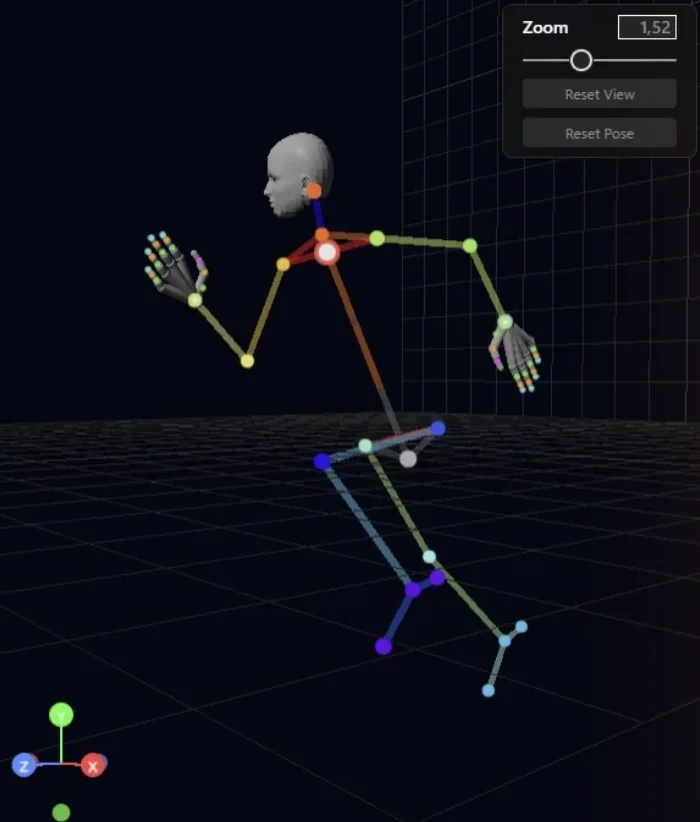
2Pose in 3DMove the joints or pick a preset
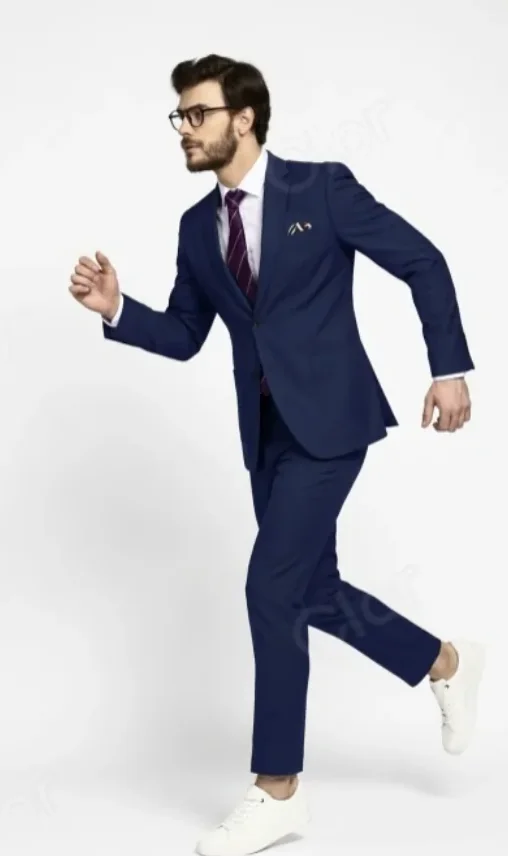
3RenderSame face and suit, new pose
04AI Director: camera
Move the cameraafter the photo is taken.
You turn a virtual camera around the person to get a new angle, and you can change the light too. One photo gives you several viewpoints.
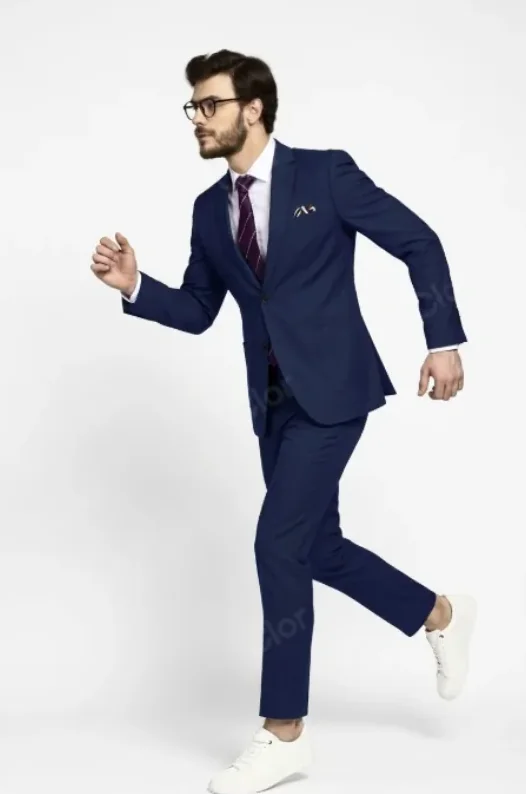
Original, side view
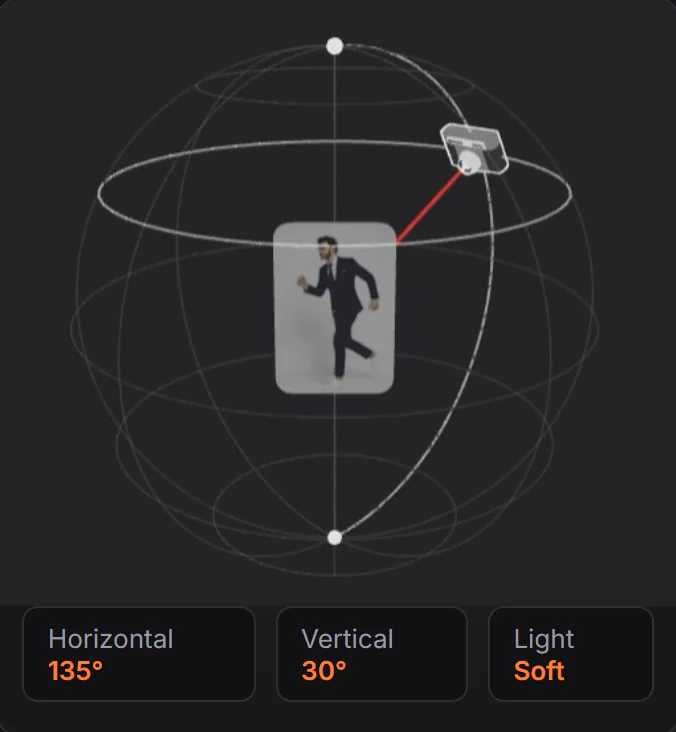

New angle, from behind
05AI logo
Generate a logo,then edit the vector.
The logo comes out as a real SVG, so you can edit every path and point, change the colors and add effects.

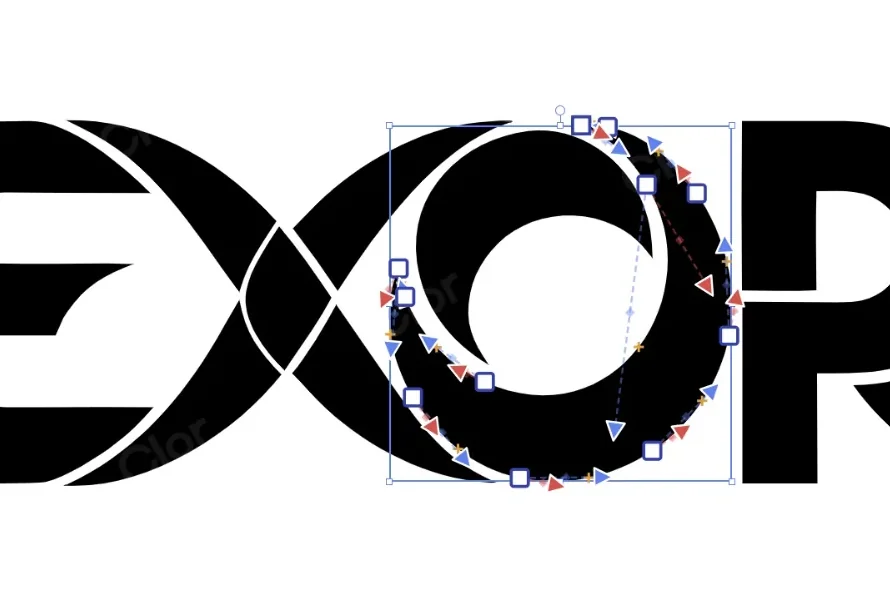
Real SVG
18 paths, with groups and layers
Fonts
Google Fonts, or upload a .ttf or .otf
Effects
Outline, shadow, glow and patterns
Export
A clean vector you can print
06The rest of the editor
A full photo editoraround the AI tools.
Library
Hundreds of photos per project, with ratings, flags and filters.
Editing tools
Layers, selection, brush, healing, crop and text.
Compare and export
Split view to compare, then export, print or save to the cloud.
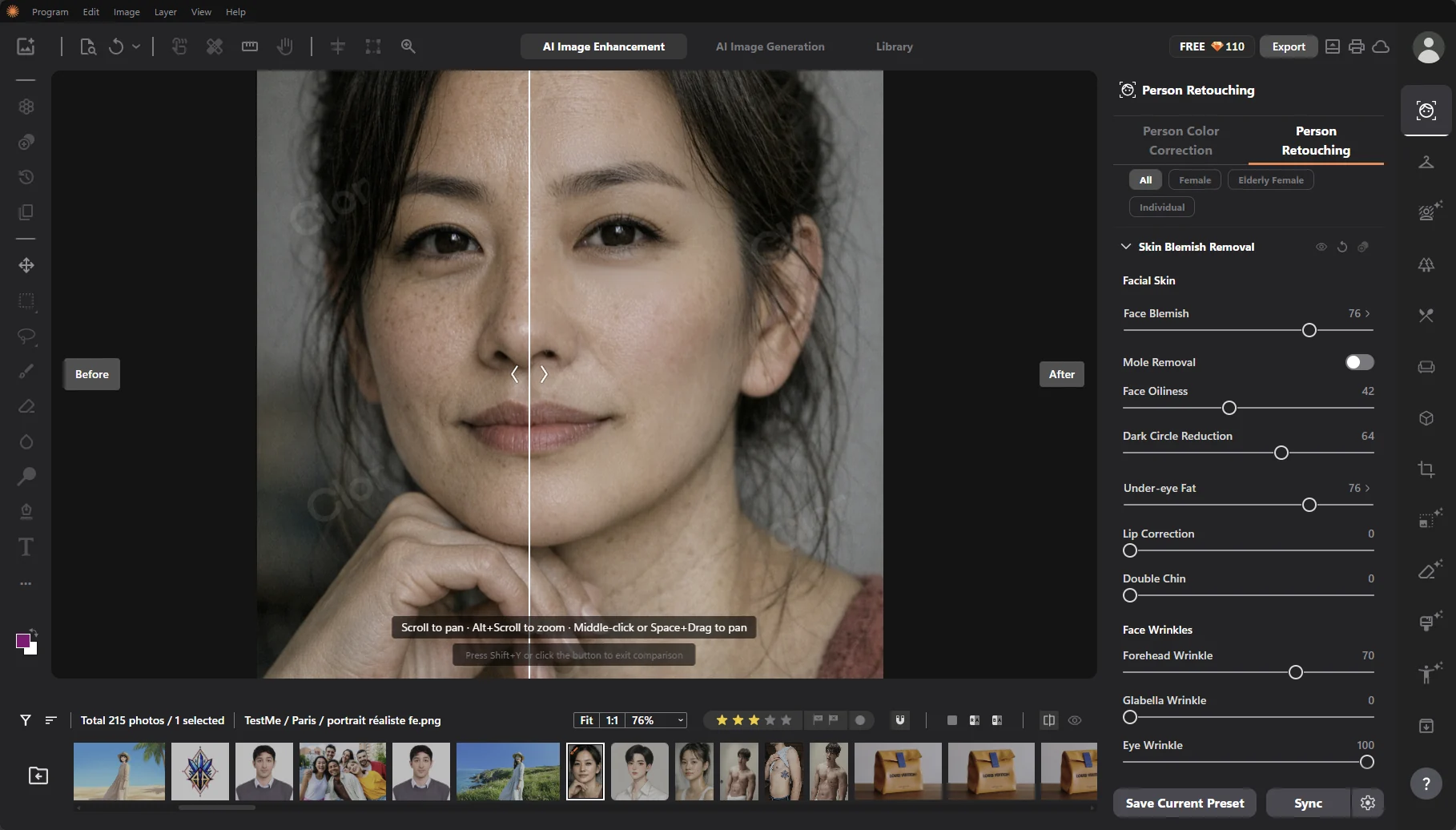
Person retouching with the split view 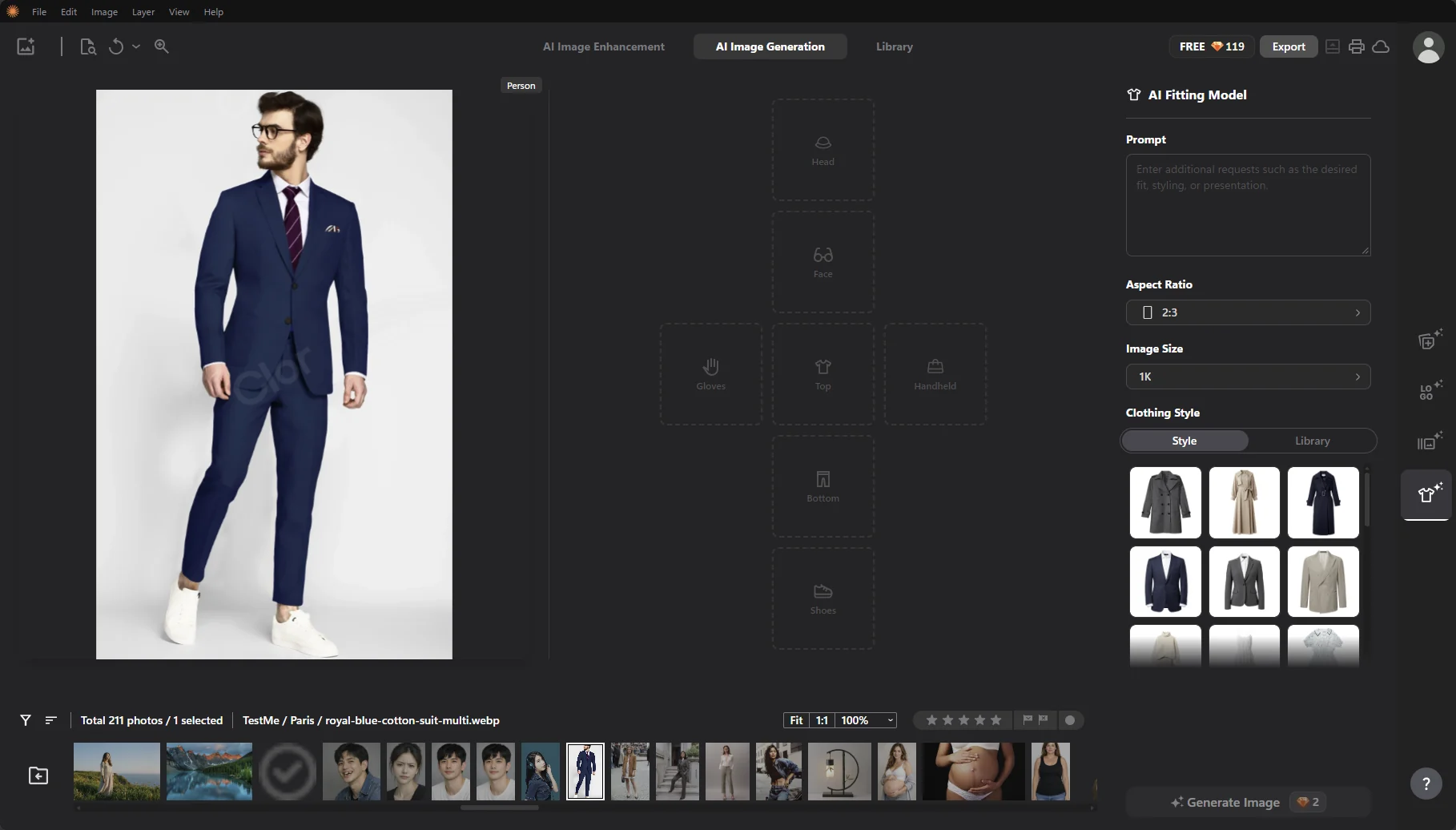
AI fitting with the outfit slots 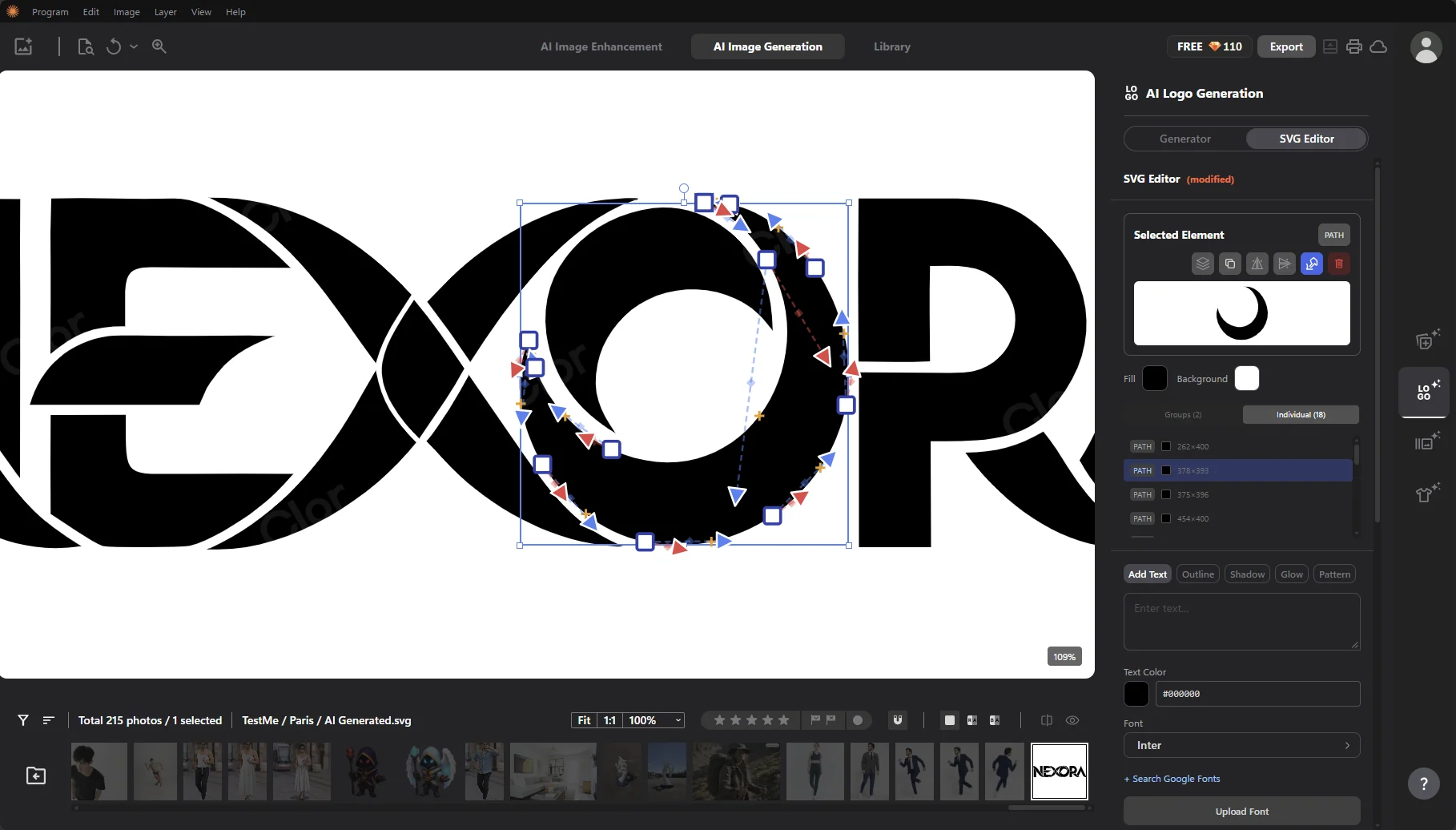
SVG editor for logos
07How it's built
What I worked onas team lead.
- commits in the project, frontend and backend
- 4,000+
- of them are mine, the most on the team
- 1,600+
- AI models running in the browser
- 40+
- languages
- 12
Developer Team Lead (Infinique, for Yellowbox)
Clor AI is a photo editor we build for Yellowbox at Infinique, where I lead the dev team. It has the usual pro tools (layers, brushes, liquify, masks) plus a lot of AI on top: you can reshape the body and face, retouch skin, remove blemishes, fix teeth or erase tattoos with sliders that update in real time.
A lot of the AI models run on the device, so photos don't have to leave it. For the rest we use AWS (ECS, Fargate, SQS), Cloudflare R2 for storage, Hugging Face and Replicate. The app is built with React and ships to the web, to desktop with Electron and to mobile with Capacitor.
- Multi-layer editor with brush engine, liquify, masks and transforms
- Local, client-side inference with TensorFlow and ONNX models
- AWS infrastructure (ECS, Fargate, SQS) and Cloudflare R2 storage, with Hugging Face and Replicate models
- Real-time, non-destructive editing with optimised canvas rendering
- One codebase for Web, Electron desktop and Capacitor mobile apps
- Team lead: architecture, code reviews and mentoring
Our own WebGL 2 renderer
We didn't use a canvas library. Every retouch is a GLSL shader we wrote. Big exports render in tiles, so 8K files work even past the GPU texture limit.
Models in Web Workers
MediaPipe, ONNX and TF.js models run in about a dozen workers, so the UI doesn't freeze. On desktop, Electron runs them natively.
Pose pipeline
The detected points become a 3D skeleton in React Three Fiber. We render it as an OpenPose image and send that to the image model.
RAW files in WebAssembly
We built LibRaw as a single-thread WASM module. It doesn't need SharedArrayBuffer, so the site works without cross-origin isolation.
A job queue for AI models
A Fastify API and workers on Fargate send each job through SQS to the right provider: Gemini, OpenAI, fal, Replicate, Recraft and others.
One codebase
A Turborepo monorepo with small platform adapters. The same editor ships to the web, to desktop with Electron and to mobile with Capacitor.
Stack
 React
React TypeScript
 AI / ML
 Three.js
 AWS
AWS Hugging Face
 Replicate
 Electron
 Capacitor
 Vite
Vite Tailwind CSS
 Node.js
 Fastify
 PostgreSQL